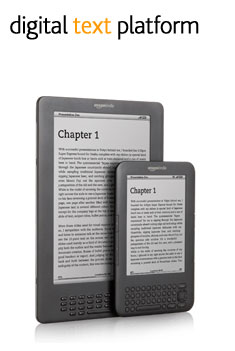
 So, you’ve written a book? Congratulations. Whether it’s the work of years or simply your latest NaNoWriMo entry, it was almost certainly a difficult and demanding project that it would be great to get some recognition for. Sure, you can go through the traditional routes and send out your manuscript to the publishing houses in hopes that you get a bite, but should you be looking for another route, whether due to rejection, disinterest, or simple distaste for involving yourself with those companies, Amazon’s DTP(Digital Publishing Platform) for the Kindle might be right for you. Here’s how it works:
Step 1: Create an Account
One of the advantages to going with the Kindle for your digital platform is that any Amazon.com account should basically be good for this already. Simply head to the DTP Log-in screen and enter your usual information. If this is your first time playing with the DTP service, you’ll be asked for some basic publishing-specific settings such as tax information and preferred payment method. It’s pretty straightforward and you should have little trouble.
Step 2: Format your eBook
Presumably you’ve already taken the time to do any sort of content editing you’d like to do. Dwelling on the details of that would turn this post into a book of its own, as I’m sure you’re aware. What is important, however, is making sure you’re setting things up properly to be accessible on the Kindle platform. The supported file formats at the moment are:
Unencrypted Mobipocket(.mobi and .prc)
This is pretty much the ideal, if you can do it, since it is the format that the Kindle-specific file format is derived from.
Unzipped EPUB
These should actually make the conversion very cleanly in most cases. It is basically the current generation of the old Mobipocket format(yes, I know I’m oversimplifying) and can be brought back to that earlier iteration in eBook formatting pretty easily. If you’re hoping to get your book set up for more than just the Kindle, you’ll likely be using this format anyway, at some point.
Plain Text
Obviously not much you can do wrong in this one, though it is a bit limiting.
Microsoft Word .doc File
Definitely usable, but with some complications. Avoid anything like headers or footers. No page numbers (remember that the Kindle reflows the text to respond to size adjustments and such). For the same reason, don’t bother playing with Margins or anything. Also, for whatever reason, Amazon recommends you add in images using the “Insert” command rather than copy/paste for best results. Something to keep in mind. Read how to how to open DOC file.
*IMPORTANT* Don’t mistake this for the new .docx file format. That is a different and wholly incompatible thing. Read how to open DOCX file.
Adobe PDF
This is the poorest option, by all accounts, but it will still work after a fashion. There is simply too little formatting information in your average PDF to hope to get much of anything besides the bare text and most minimal formatting out of Amazon’s conversion process. You might actually be better off finding a third party utility to break down your PDF into something that can be played with in MS Word or a similar program that can be converted into a more useful format. Learn how to open PDF file.
Zipped HTML
There are a number of specific things to be aware of in using an HTML document for your Kindle book. While this is the most finely controllable method for formatting your book, by most accounts, it is also complicated and requires great attention to detail. In most cases, until and unless you have extensive experience using this sort of an eBook format, you might be better off using something else.
To be honest, speaking from personal experience, the best thing you can do to get something ready for publication is to take what you have finished, convert it to either .mobi or HTML, and send it to your Kindle to see how it works. Flipping through on the device itself will save you a world of trouble in case something goes wrong.
 Step 3: Upload Your Book
They’ve made this part really simple. Assuming you are still logged into the DTP system, you will see a button that says “Add a New Title”. Click on it and enter all the information it asks for. You’ll need to provide not only your book file and a description of the work to sell it with, but also any important publication data, an assurance that you have a right to publish the book, a decision about whether or not to enable DRM, and a cover/product image. The product image is important, since it is what will appear on the product page in the Kindle store.
You will then be prompted for information on countries where you hold the rights to your work, and to select a pricing/royalty option. You can choose from either 35% royalties, in which case you get to set your price in stone, or 70% royalties, which means that Amazon has a lot more say over how much your book is going to be costing if they decide they need to price match or anything like that and that they deduct a small delivery fee based on file size for each sale. Either way, you set your price(s) in the little box below that area and you’re done.
Step 4: Promote it
Let’s face it, getting the book on the Kindle marketplace is the easiest part of things. The hard part, aside from the writing itself, comes next! Now you’ve got to spread the word. Many recent authors have had luck with creating a public presence for themselves through creative use of blogging, web promotion, and plain old word of mouth. Whichever method you choose, you’ve got a good start going already. Good luck!
I also want to know about how to get cover art for E-Books. I’ve been working on a novel since mid-2000’s, and this is the perfect way to have it published without all of those pesky publishing houses and manuscripts being sent in.
very helpful, thanks
Hi, am very new at this, so sorry if I sound stupid. The graphic designer handling the cover for my ebook told me that I could upload text only ebooks for kindle – no images. If I’m understanding the above info correctly, I have been misinformed. Please can anyone elaborate on whether or not it is possible to insert images in a word.doc file to be published as an ebook and whether there are limits on the number of images or file sizes. Many thanks.
And what about the ISBN??
Amazon has its own ISBN, so no need to have one.
I have uploaded images in my book and it works fine. You get to check your work to see if it look good on a Kindle anyway. Just make sure that you load into your document pictures and that they are reasonable small in kilobytes. Don’t use copy and paste for a picture.
If you want ebook covers go to any freelance online websites (elance, 99designs) and you can get one for between $50-75 easily. It looks good and is professional. Use Amazons book dimensions to give to the freelancer.
I’m a published writer and have been since 1988. I want to get my back-list on Kindle. However, since I started so long ago, most of my back-list is not on the computer. What do I need to do in this case? I have hard copies, paperbacks, copy-edits, and original manuscripts. Can I use a scanner to download these books?
Hello Susan.
Scanned papers do not help you as they will be just a pictures. Kindle works with text files. So, you need to convert pictures to text by OCR applications.
Microsoft Office 2007 and later includes an application named OneNote which will perform OCR (Optical Character Recognition) on scanned files (JPG, TIFF, etc.) and insert it directly into your Word document. If you don’t have Office but have Adobe Acrobat, that will work, though it takes more steps. There are any number of dedicated OCR programs, but check the ratings.
Do you have information on printing on demand in connection with kindle e-book or smashwords publishing?
Three questions:
1. Can I load my book and format/still go through and make edits before hitting the publish button?
2. Also, does the set up guide you through how to set up your chapters?
3. And I am publishing under a pseudo name; will people be able to trace me back to my Amazon account?
Thanks!
Mel
I’m thinking of epublishing some screenplays, and with screenplays, the correct format is important, as there is a rough rule of thumb that one screenplay page equals one minute of screen time. What exactly does Amazon do when it reflows my text? Is there any way to retain my page breaks?
If I submit it already .mobi formatted, does Amazon still reflow it?
I have in mind something like the Newmarket screenplay series. Any information will be sincerely appreciated.
Hello, can the kindle fire play multimedia ebooks? Can you sell on Amazon and on other vendors like iBooks and B & N. How about selling directly off of your own website? Can a multimedia/enhanced ebook play on a pc?
Matthew: thanks a million for your info it is very interesting,
I would like to sell my book as an e book on Amazon
Catherine Gillispie
Susan: Slice the binding off the book and send it through a scanner which reads both sides of the page at the same time. (I use a Fujitsu ScanSnap.) The resulting “image” PDF file can be run through an OCR process (optical character recognition) to make the image into actual text characters. You will have to cut/paste those text characters into a program where you can edit/correct the document (like MS Word). Correct all the typos (yes, there will be some) and formatting, and there you go — one new e-book from paper-book!
What if I have a number of “pamphlets” that I would like to sell as a subscription? Say a user would subscribe to access for a month or for a year and they could access my pamphlets for that time?
My ebook is ready including the cover.. Now I want to sell it through Amazon. I have opened a pay pal account PLEASE help me to do this. I cannot waste time, as I am at the age that time counts.
Please send me help Love and light Rona Kruger,.